
WDW Magazine
WDW MAGAZINETravel & Local
3.427.00 Reviews
- Version
- 7.15.2
- Installs
- 10.00K
- Age Rating
- Everyone
Screenshots
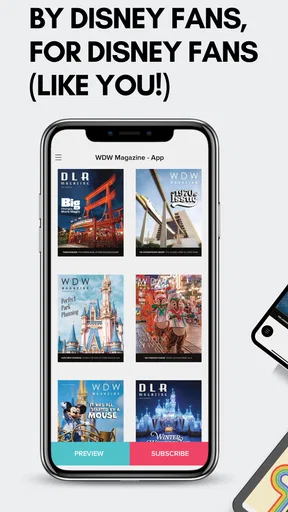
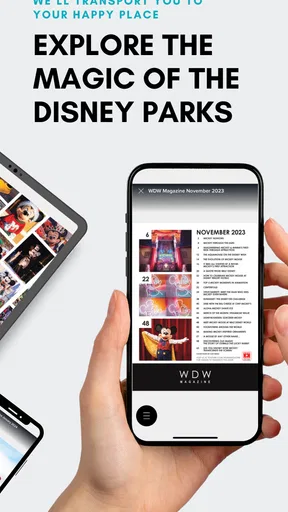
Our Review of WDW Magazine
 Analysis by Appyee
I approached WDW Magazine as a companion for Disney World fans rather than as a complete trip-planning replacement. That distinction matters. The app sits in the Travel & Local category, is free to install, and comes from WDW MAGAZINE, with a clear focus on people who want Disney World content close at hand. After spending time with it, I found its strongest value in helping an enthusiast stay connected to the destination between visits, prepare with a more focused mindset, and turn casual interest into a repeatable planning habit.
It is not the kind of app I would use as my only source for every decision during a park day. Instead, I see it as a specialized reading and reference companion. Its appeal depends on how much you enjoy Disney World itself: regular visitors, dedicated fans, and people preparing for a future trip will get more from it than someone looking for a broad travel planner covering hotels, flights, maps, and unrelated attractions.
How I used WDW Magazine in a practical Disney World routine
I use WDW Magazine as a small, repeatable part of Disney World planning rather than something I need open all day. This section looks at how a quick reading session can help me turn a passing idea into a question for the group, while keeping time-sensitive decisions separate for later checking. That routine works best when I know what I want to learn before I start browsing.
Starting with a simple reading workflow
My most useful routine was to open the app when I had a specific purpose rather than treating it like a general web browser. Before a trip, that meant using a short session to catch up on Disney World material, note ideas worth investigating, and separate immediate planning questions from articles that were simply enjoyable to read. This kept the experience from becoming an endless stream of suggestions with no connection to my actual visit.
For a family trip, I would use it in stages. First, I would browse for broad inspiration while dates and priorities were still flexible. Later, I would return with narrower questions: which experiences deserve more attention, what should be discussed with the group, and which details need checking in an official source. That two-pass approach is more useful than trying to make every decision during one long session.
One realistic example is a parent preparing for a first visit with children who have different interests. I would use the magazine content to build a shared shortlist rather than handing each person a giant planning document. One child might care about characters, another about attractions, and the adults might be thinking about pace and breaks. The app can help create conversation starters, but I would still verify operational details elsewhere before committing the family schedule.
During the trip itself, I would keep my expectations modest. A content-focused Disney World companion is most comfortable during quiet moments at the hotel, on a journey to the resort, or while deciding what to research next. It is less convincing as a substitute for live operational tools when the question is whether a particular attraction is currently available, how long a queue is, or what the official park system says about a reservation.
Separating inspiration from decisions
The key habit is to divide what you read into two groups. The first is inspiration: ideas, background, opinions, and reminders of experiences you may want to consider. The second is decision-grade information: anything that affects money, timing, access, reservations, transportation, or a same-day plan. I would use the app confidently for the first group and cross-check the second with current official information.
This is not a criticism unique to this app. Travel content ages faster than ordinary magazine material because park operations and visitor arrangements can change. The practical lesson is to avoid turning an interesting article into a promise. I found that the app works best when it improves the questions I ask, while official Disney tools remain the final checkpoint for live logistics.
That workflow also prevents a common mistake: planning a trip around every appealing suggestion. Disney World can become tiring when the schedule is built from enthusiasm alone. I would use the app to identify priorities, then deliberately leave room for rest, weather changes, meals, and the possibility that the group simply wants to slow down.
What I would check before relying on it
Because the app is free, it is easy to install and sample without a major commitment. Its content rating is Everyone, which makes it suitable as a family browsing option in terms of age classification. The current version is 7.15.2 and it requires Android 8.0 or later, so compatibility is the first practical check for anyone using an older phone or tablet.
I would also look at the app’s in-app purchase model before assuming that every part of the experience is included at no cost. The app itself is free, while individual purchases range from $0.99 to $47.99. That does not automatically make the model unsuitable, but it does mean I would pause before buying anything and ask whether the material is useful for my particular trip, whether it duplicates information I already have, and whether I am purchasing a one-time reference or something I will revisit.
My advice is to begin with the free experience and establish a real need before spending. A dedicated fan may find paid material worthwhile because it supports a deeper interest in Disney World. A first-time visitor with a tightly limited budget may prefer to use the app for orientation and rely on free official resources for the rest. The right choice depends less on the price of a single item than on whether it changes the quality of your planning.
Settings and device habits that make the experience smoother
I would start by checking the phone’s notification permissions rather than accepting every prompt automatically. If the app offers alerts on your device, only keep them enabled if they genuinely help you return to useful content. Too many interruptions can turn a pleasant magazine-style companion into background noise, especially when you are already receiving travel messages, booking reminders, and family notifications.
Screen size also changes the experience. On a phone, I prefer short reading sessions and save longer browsing for a quiet moment. On a larger device, articles and visual material are easier to scan, which makes the app feel more like a digital magazine. If you are preparing with another person, a tablet can be more practical for discussing ideas together, while a phone is better for private reading on the move.
I would keep the operating system and the app current when possible, not because an update guarantees a particular feature, but because older software can create avoidable compatibility problems. I would also avoid judging the app during a rushed, weak-connection moment at a park. A travel companion should be tested before the trip, when there is time to understand how it behaves on your device and decide which information needs a separate backup.
Faster patterns for repeat visitors
Experienced users do not need to read everything. My faster pattern would be to open the app with one question, scan only enough to identify relevant material, and record the useful takeaway outside the app if it affects a group decision. For example, I might write a short note such as “research this attraction for the afternoon plan” rather than assuming I will remember the article later.
A second helpful pattern is to use the app at different planning distances. Months before a visit, I would browse broadly and collect possibilities. Closer to departure, I would narrow the list and compare it with the official park information. On the trip, I would return only for context or reading, not as my sole source for live changes. This prevents old planning ideas from competing with current facts.
For repeat visitors, the app can also provide a useful reset. Familiarity often creates tunnel vision: I tend to return to the same favorites and overlook alternatives. Reading outside my usual routine can prompt me to reconsider the pace of a day, include a less familiar area, or explain an experience to someone visiting for the first time. The benefit is not simply discovering more; it is making a return visit feel intentional instead of automatic.
Another non-obvious trade-off is attention. Disney World content can encourage overplanning because every idea sounds exciting in isolation. I would set a limit for each session, choose a few candidates, and stop. That small rule protects the trip from becoming a checklist. The app is more valuable when it helps me make better choices, not when it gives me more choices than the group can realistically enjoy.
Where the app reaches its limits
The average rating is 3.4 from around 96 ratings, with 27 written reviews, and the app has over 10K installs. I read those figures as a sign that the experience will not be equally compelling for everyone. It has a defined audience, and the audience is narrower than the entire travel-app market. A Disney World enthusiast may understand its purpose immediately, while a general traveler may find it too specialized.
The biggest limitation is scope. I would not choose it instead of a full travel organizer if I needed flight management, hotel comparisons, shared itineraries, navigation, live wait information, or a complete budget system in one place. Those tools solve different problems. The magazine’s strength is its Disney World focus, but that focus also means it should be one part of a larger travel setup for most visitors.
I would also be careful with time-sensitive details. Even a well-written article can be less useful if conditions have changed since publication. For decisions involving schedules, prices, access rules, transportation, or reservations, I would verify the current information through an official channel. This extra step is not burdensome, but it does mean the app is better at helping me think and prepare than at replacing live operational sources.
There is also a personal-fit issue. If you are visiting Disney World once and have little interest in background reading, the app may feel like an unnecessary extra. You may be better served by the official park application, a straightforward itinerary tool, and a small number of focused travel guides. On the other hand, if Disney World is a recurring interest, the magazine format can justify its place because it gives you something to explore before and after the practical planning is finished.
Who should install it, and who should skip it
I would recommend trying it if you enjoy Disney World beyond the basic question of where to go next. It makes sense for repeat visitors, fans who like to research between trips, families building a shared wish list, and travelers who want a focused source of Disney-related reading rather than a generic tourism app.
I would be more cautious if your main requirement is real-time decision support. If your first question is always about current wait conditions, route planning, reservations, tickets, or official policy, start with the relevant official tools. You can still use this app alongside them, but I would not install it expecting one application to manage the entire trip.
It is also not my first recommendation for someone who dislikes browsing. The experience makes more sense when you are willing to explore, compare ideas, and return to topics over time. A user who wants a short, fixed checklist may find the magazine approach less efficient than a dedicated planning service.
My verdict after building a repeatable habit
WDW Magazine works best as a focused Disney World companion, not as a universal travel control center. I like the way it can turn vague excitement into a more thoughtful planning process, especially when I use it in short sessions and keep inspiration separate from facts that require current verification. The free entry point makes it easy to judge for yourself, while the optional purchases are worth considering only after you know what kind of reader and planner you are.
My final recommendation is simple: install it if Disney World is a meaningful interest and you want a specialized source to revisit before, during, and after a trip. Use it alongside official tools for live logistics, check compatibility with Android 8.0 or later, and treat paid material as an optional decision rather than an automatic upgrade. With those boundaries, it can become a useful part of a repeatable Disney World routine. Without them, a general travel planner or official park app will probably serve you better.
For me, the app earns its place through focus rather than breadth. It will not replace every travel tool, and it should not be judged as though it tries to. Its real value appears when I return to it with a purpose, take only the ideas that fit my group, and turn those ideas into a calmer, more realistic plan.
Verdict
Strengths of WDW Magazine
- Covers Walt Disney World news, events, dining, and attraction updates.
- Helpful planning content for first-time and returning Disney visitors.
- Includes colorful visuals and a magazine-style reading experience.
- Offers destination-focused articles beyond basic park information.
- Useful for keeping up with seasonal offerings and resort changes.
Limitations of WDW Magazine
- Content is mainly relevant to Walt Disney World travelers.
- Some articles may become outdated after park policies or schedules change.
- Not a substitute for official ticketing, booking, or park apps.
- Frequent travelers may find some planning advice repetitive.
- The magazine format may feel less convenient for quick factual searches.
Similar Picks in This Category
View All
Google Maps
Google LLC3.4

Google Maps Go
Google LLC4.1

Booking.com: Hotels & Travel
Booking.com Hotels & Vacation Rentals4.8

Google Earth
Google LLC3.8

Skyscanner Flights Hotels Cars
Skyscanner Ltd4.8

trivago: Compare hotel prices
trivago N.V.4.4
Frequently Asked Questions
What is WDW Magazine?
WDW Magazine is a digital publication focused on Walt Disney World, offering articles, photography, trip inspiration, park updates, planning advice, and features for Disney fans. After exploring the app, it feels designed more as a visual and editorial companion than as an official Disney planning tool. It can be useful for discovering ideas and keeping up with Disney-related content, but readers should not expect it to replace official park information.
Is WDW Magazine free to download and use?
The app may be free to download, but access to all of its content can depend on the publication’s current subscription or purchase model. Some articles, previews, or selected features may be available without payment, while complete issues or premium material could require a subscription or individual purchase. Before downloading, check the app-store listing and in-app pricing because offers, billing terms, and available content may change.
Does WDW Magazine help with planning a Walt Disney World vacation?
WDW Magazine can provide helpful inspiration for planning a Walt Disney World trip through destination articles, photography, resort features, food recommendations, and general tips. However, it is not a complete planning platform. It may not provide live wait times, ticket management, park reservations, official operating schedules, or real-time alerts. Use it alongside the official Disney app and website for reservations, policies, transportation, and current park details.
Is WDW Magazine an official Walt Disney World app?
WDW Magazine should not be treated as the official Walt Disney World mobile application unless the current store listing clearly identifies it as such. Its purpose is primarily editorial, providing stories, opinions, images, and fan-oriented coverage. For official tickets, hotel bookings, dining reservations, park entry information, attraction wait times, and account management, users should rely on Disney’s official channels rather than depending exclusively on magazine content.
Is WDW Magazine suitable for both first-time visitors and Disney fans?
The app can appeal to both newcomers and experienced Disney fans, although each group may use it differently. First-time visitors can browse destination features and planning ideas to understand the parks and resorts, while returning guests may enjoy photography, news, seasonal coverage, and opinion-based articles. Some content may assume familiarity with Disney terminology, so beginners should combine it with official guides for practical, step-by-step trip preparation.
